![Exizent_logo_non-fixed_White_Large.png]](https://knowledge.exizent.com/hs-fs/hubfs/Exizent_logo_non-fixed_White_Large.png?height=45&name=Exizent_logo_non-fixed_White_Large.png)
Find an answer to your question quickly and easily by clicking the links below:
❓Can I edit a template after I have uploaded it to the templates Library?
❓Can I rename a template after it has been uploaded to the Template Library?
❓Can everyone in the firm see and use all of the templates in the Template Library?
❓When sending Correspondence, does the recipient have to be added to my case?
❓Can I edit a template after I have uploaded it to the Templates Library?
-
Yes you can! This is quick and easy to do!
-
Within the Templates Library locate the template you wish to edit and click View
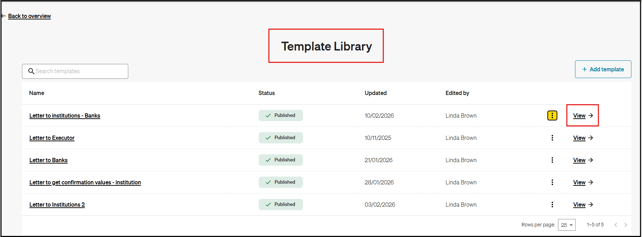
-
You can then edit as required and click Save template
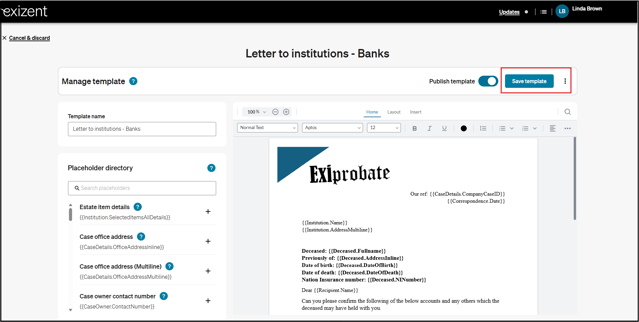
💡 for more advanced editing, eg. adding in images, it is best to do this edit/prepare your template in Word before uploading your template to the platform
❓Can I rename a template after it has been uploaded to the Template Library?
-
Yes you can!
-
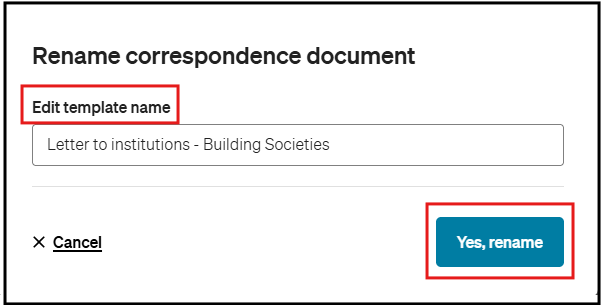
Within the Template Library locate the template you wish to edit and click the 3 dots to the right of the screen
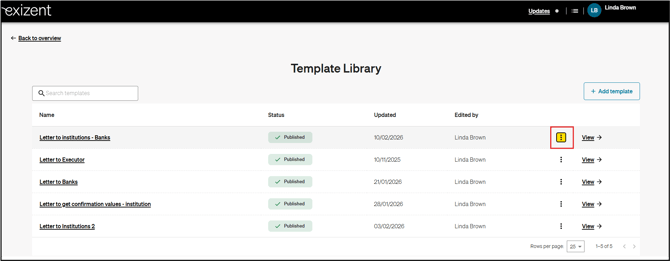
- Select Rename
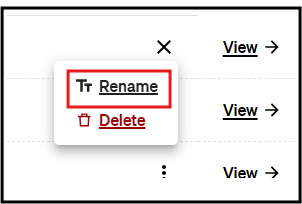
- Rename your Template as required and click Yes, Rename
❓Can everyone in the firm see and use all of the templates in the Template Library?
-
Yes! As long as the Template is Published, everyone in the team will be able to select the template they want to use for their Correspondence
❓When sending Correspondence, does the Recipient have to be someone added added to my case?
-
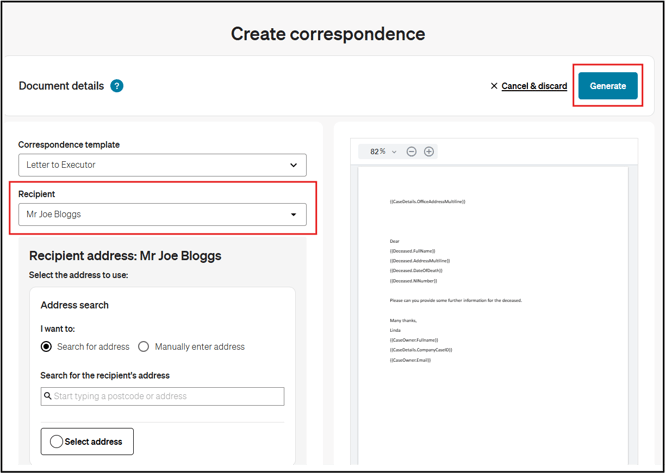
The Recipient can be anyone you like
-
If it's a company or person not associated with your case, you can just enter their "identifier" into the Recipient field and click Generate
-
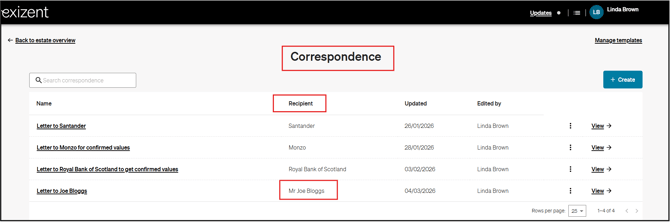
This will allow you to identify the Recipient in the Correspondence area on your case
🌈 These three knowledge base articles provide further guidance on using our correspondence feature
How do I create and manage a template for correspondence?
How do I send correspondence to people & beneficiaries in my case?
How do I send correspondence to financial institutions in my case?
👷 Our team are regularly making improvements and adding new features. Some things may have changed since this guide was written as functionality gets even more fabulous. If you need further assistance, please contact the Customer Success team who are always happy to help
🖥️ Chat to us through the knowledge base - click the chat icon in the bottom right corner of this page
☎️ Call us on 020 8152 2902
✉️ Email us on support@legal.exizent.com