![Exizent_logo_non-fixed_White_Large.png]](https://knowledge.exizent.com/hs-fs/hubfs/Exizent_logo_non-fixed_White_Large.png?height=45&name=Exizent_logo_non-fixed_White_Large.png)
💡 You need to enable the Exizent & Actionstep integration before you can start sharing case details between the 2 systems. See the setting up the Actionstep integration article to get started.
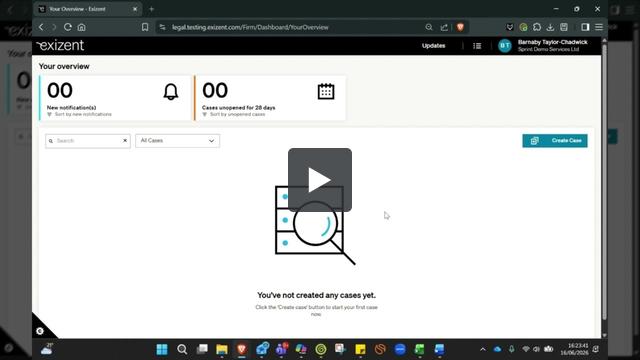
Here is a short video to take you through the process:
Creating a new case in Exizent from Actionstep:
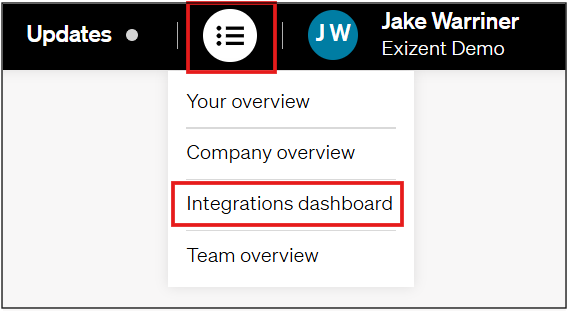
- Click on the menu icon in the top right hand corner beside your profile icon
- Select Integrations dashboard from the menu
✅Exizent will redirect you to Actionstep for authentication where you will need to log in and Grant access
- Cases available to transfer from Actionstep to Exizent will show under the Integration Cases tab
- Use the search options to find the case you want to work on - you can search by either the ID or Matter name
🔍You are able to expand the number of cases showing on a page by selecting a different option from the Rows per page drop down menu
▶️Use the arrows at the bottom of the page to navigate between pages of cases
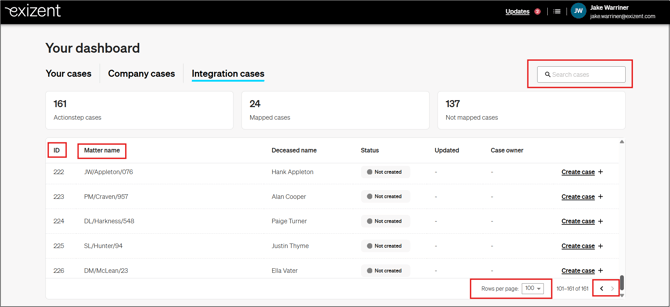
- Click Create case + for the case you wish to create in Exizent
- Sanity check the deceased details and the Company Case ID can be updated, if required
- After choosing the correct Case owner you can select Confirm case to transfer the case details across from Actionstep to Exizent
🔁A case can only be transferred from Actionstep to Exizent once
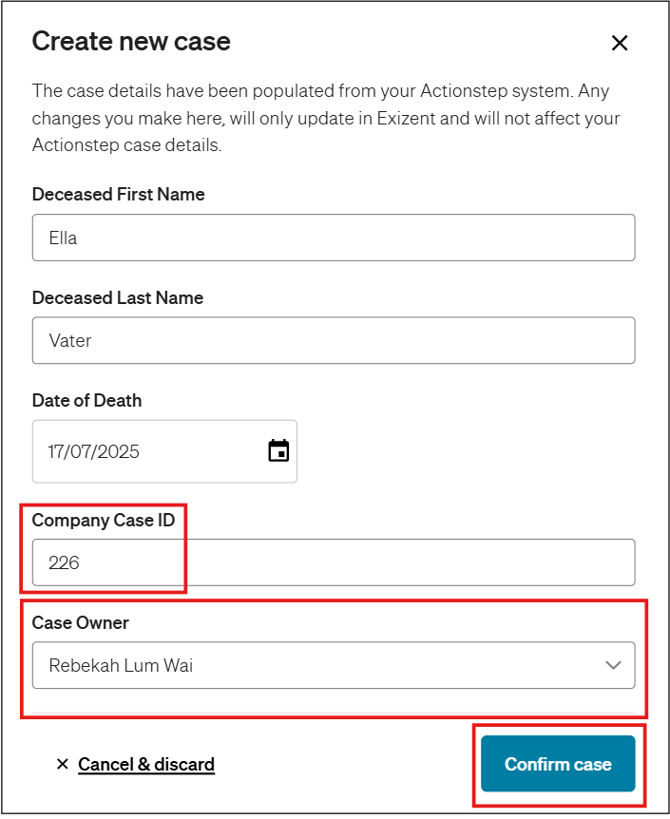
🆔The Company Case ID can be changed after a case has been created, if required. See here for more information on how to do this
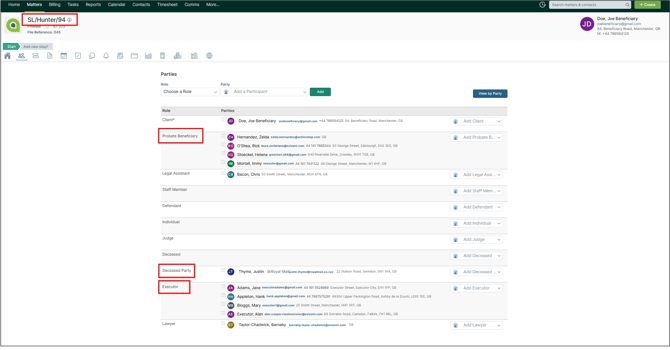
- Any details added in Actionstep for Participant Types that have been linked through the integration, will pull through to the People & beneficiaries area of the platform
- Clicking on the People & beneficiaries tab in your case will show you the data already transferred from Actionstep and you can start adding any additional information about the deceased and contacts
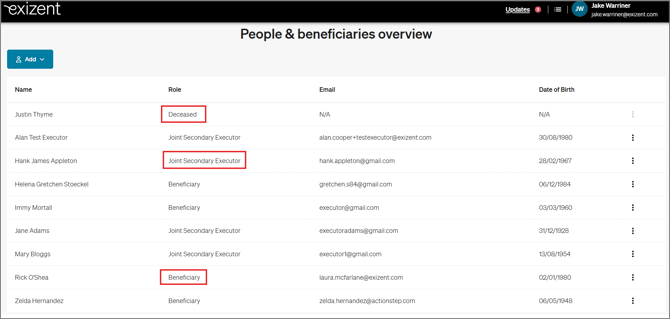
- Add more details to your Exizent case. See here for how to add assets and liabilities and navigate through the knowledge base for more information on generating forms and estate accounts etc.
- Cases created via the integration can be accessed on the Company Overview and Your Overview pages of the Platform
- Within the Integration Overview any matters that have already been transferred from Actionstep will show as Created and can also be accessed here by selecting View
.png?width=670&height=315&name=20260203%20Integration%20Cases%20Dashboard%20(with%20case%20created).png)
👷 Our team are regularly making improvements and adding new features. Some things may have changed since this guide was written as functionality gets even more fabulous. If you need further assistance, please contact the Customer Success team who are always happy to help
🖥️ Chat to us through the knowledge base - click the chat icon in the bottom right corner of this page
☎️ Call us on 020 8152 2902
✉️ Email us on support@legal.exizent.com